
Workbench
Where AI work gets done.
AI coding agents are powerful, but raw sessions scatter across terminals, branches, and chat histories. Workbench is the operational layer — where you see what's happening, control what's running, and land work safely on trunk.
How it works
Operational supervision, not prompting
You're not asking a model for code. You're directing a work system — agents, branches, reviews, merges. The cockpit keeps you oriented.
Operational visibility
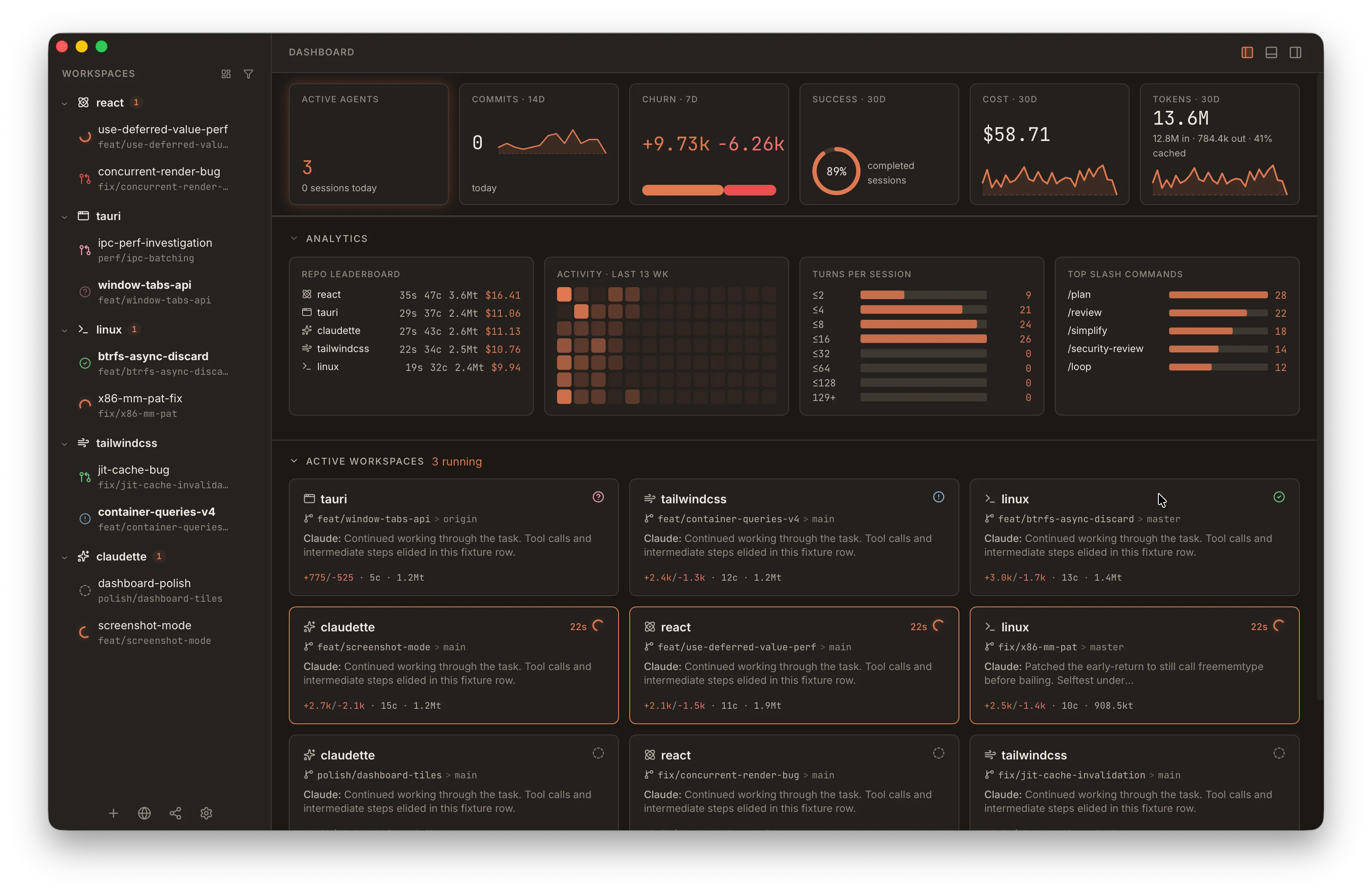
Multiple agents across git worktrees, every session's state and cost visible at a glance. A cockpit without gauges leaves the pilot guessing.
Telemetry
Token consumption, compaction state, rate limits — operational data surfaced where you need it, not buried in scrollback.
Supervisable output
Full terminal per agent. Inspect what agents are actually doing and why — not just their final output. The human holds command authority.
Work state, not chat
Side-by-side diffs as changes happen, file trees, dirty state. The cockpit exposes the state of the work, not merely a conversation.
Trunk movement
Worktree management, checkpoints, session forking. Work should move toward integration, not accumulate in isolated branches.
Engine-agnostic
The cockpit's value is the supervision layer, not the engine underneath. Multiple agent backends, one operational surface.
Get started
Download Workbench
Loading latest version...